


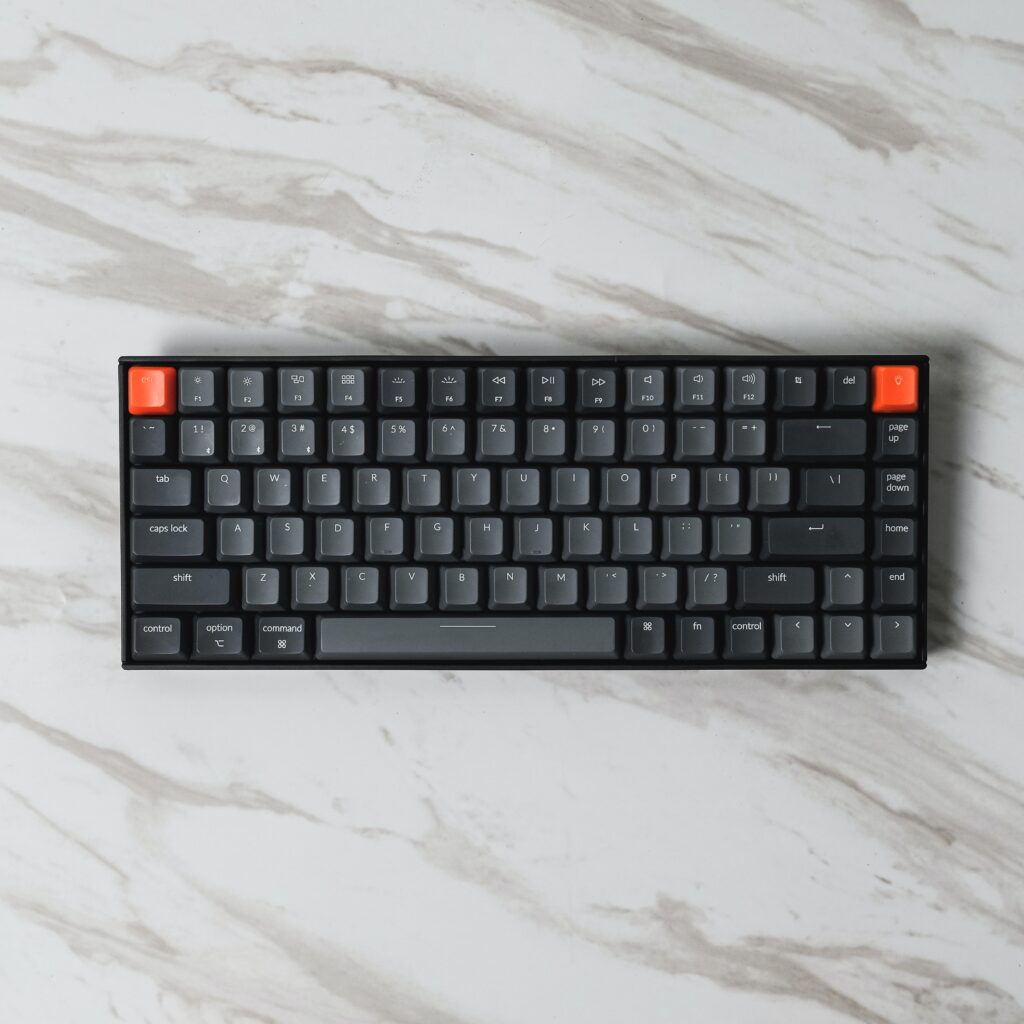
Part 1: The Origins and Evolution of Keyboards
Despite their ubiquity today, keyboards carry a history steeped in design considerations, technological evolutions, and user needs. They have transformed from complex mechanical contraptions to sleek digital interfaces. This first part delves into the origins of keyboards and the evolutionary journey they’ve undertaken.
1. The Typewriter’s Birth: The typewriter debuted in the late 19th century. The Sholes and Glidden typewriter, often known as the Remington No. 1, was the first commercially successful machine. Its unique design and letter arrangement formed the precursor to modern keyboards.
2. Key Placement and QWERTY: The story goes that the QWERTY layout, developed by Christopher Latham Sholes, aimed to prevent jamming by placing frequently used letters far apart. Whether or not this tale holds water, QWERTY remains predominant in many regions, a testament to its lasting influence.
3. Evolution to Electric Typewriters: As technology progressed, typewriters transitioned from manual to electric. This shift paved the way for more consistent keystrokes and enhanced typing speeds. The IBM Selectric, with its “golf ball” element replacing typebars, was iconic in this era.
4. Birth of the Computer Keyboard: With the dawn of computers, the typewriter’s design was aptly adopted, leading to the inception of the computer keyboard. Keyboards like the Teletype Model 33 became the standard interface for early personal computers.
Part 2: Innovations and Modern-day Keyboard Layouts
5. Membrane and Mechanical Keyboards: Two dominant technologies drive most modern keyboards: membrane and mechanical. While membrane keyboards are quieter and often found in offices due to their cost-effectiveness, mechanical keyboards, known for their tactile feedback, have seen a significant fan base among gamers and typists.
6. Alternative Layouts: Dvorak and Beyond Though QWERTY dominates, alternatives exist. Dr. August Dvorak developed the Dvorak Simplified Keyboard in the 1930s, claiming increased typing speeds and reduced finger strain. This layout places the most common letters and letter pairs under the most muscular fingers.
7. AZERTY, QWERTZ, and Regional Variants: Different regions have adopted keyboard layouts tailored to their languages. France, for instance, utilizes the AZERTY layout, while many German-speaking countries employ QWERTZ. Each design reflects linguistic nuances and typing needs specific to its region.
8. Ergonomic Designs: Recognizing the strain prolonged typing exerts on the human body, ergonomic keyboards were introduced. Often split or contoured, these designs prioritize comfort, aiming to reduce repetitive strain injuries.
Part 3: The Digital Revolution and Future of Keyboards
9. Virtual and Touchscreen Keyboards: The rise of smartphones and tablets brought about virtual keyboards. These digital interfaces adapt based on user needs, offering different layouts, languages, or specialized keys (e.g., emojis) with a mere software change.
10. Predictive Text and AI Integration: Modern virtual keyboards often incorporate predictive text capabilities, utilizing AI to anticipate the user’s next word. This feature speeds up typing, particularly on mobile devices, and reflects the potential of integrating AI into human-computer interaction.
11. Voice-to-Text and Beyond Typing: While keyboards remain prevalent, voice-to-text technology offers a different input method. Tools like Google’s Voice Typing or Apple’s Dictation transform spoken words into text, moving beyond traditional typing.
12. The Future: Gesture-based Inputs and Haptic Feedback: Advancements in sensor technology and AI hint at a future where gesture-based inputs might become standard. Imagine “typing” in the air or having haptic feedback from a virtual keyboard, making it feel “real.”
Part 4: Advanced Keyboards and Adaptations
13. Gaming Keyboards: The rise of digital gaming brought about specialized keyboards designed to cater to the needs of gamers. Gaming keyboards often come with customizable RGB lighting, macro keys for executing complex command sequences with a single keystroke, and anti-ghosting features to ensure simultaneous key presses register correctly.
14. Biometric and Security Features: Security is paramount in today’s digital age. Keyboards now integrate biometric sensors, allowing fingerprint recognition. Such features streamline the login process and bolster security, as biometric data is unique to each individual.
15. Foldable and Rollable Keyboards: Portability remains essential in our mobile-centric world. Innovations have birthed foldable and rollable keyboards designed to save space and cater to the on-the-go lifestyle. These keyboards can be compacted for transport and then expanded for
use.
16. Keyboards for Differently-abled Users: Recognizing the diverse needs of users, there are keyboards tailored for differently-abled individuals. Large print keyboards, Braille keyboards, and single-handed keyboards are a few examples that ensure inclusivity in the digital age.
Part 5: Environmental Considerations and Future Materials
17. Eco-friendly Keyboards: With increasing awareness about our environmental footprint, keyboards made of sustainable materials have emerged. Bamboo keyboards, for instance, aren’t just stylish; they are biodegradable and have a smaller carbon footprint.
18. Water-resistant and Dust-proof Keyboards: For those who work in challenging environments or are simply prone to the occasional spill, keyboards have been developed that can resist water, dust, and other potential hazards. This resilience ensures longevity and reliability in various circumstances.
19. Heat and Light-sensitive Keyboards: Some cutting-edge keyboards can change their properties or appearance based on environmental factors. For example, keyboards that glow more brightly in the dark or ones whose keys change color based on temperature bring functionality and aesthetic appeal.
20. Projected and Laser Keyboards: Taking virtual keyboards a step further, some devices project a full-sized QWERTY keyboard onto any flat surface. Using laser technology, these keyboards detect finger movement and translate it into keystrokes, making it possible to type on virtually any character.
Keyboards have been on an incredible journey, adapting and evolving with technological and societal changes. From ensuring security to embracing sustainability, from aiding gamers to ensuring inclusivity, keyboards have transformed in myriad ways. As we stand on the brink of even more advancements, it’s clear that keyboards, in whatever form or function, will remain central to our interaction with the digital realm.
